Patterns from Building Agentic Features
I’ve been building several agentic features for the last year and a half at Orca. Our product replaces high-throughput decision layers with small, deterministic, steerable models, so we focused on places where LLMs made it possible to build novel capabilities: contextual guidance, unstructured data processing, free-text explanations, and flexible control flow where normal logic or heuristics were not enough.
A lot of the online discussion seems focused on multi-agent chat systems, but I found a lot of value in building smaller more focused agents. So I wanted to share some of the patterns around context management, tool-call loops, and feedback harnesses that I discovered while working in that direction. (I won’t be touching on evaluations here, which are very important but deserve their own future post.)
Copilots with Page Context and Tools
Orca has a dashboard that allows inspecting prediction telemetry with easily scannable tables and graphs. We wanted to make it easier for users that weren’t familiar with Orca yet to get started from within the dashboard. So we decided to add an AI copilot chat that could help users understand Orca and achieve their goals without having to watch a tutorial. The goal was not to bring dashboard components into a chat interface, but to deeply embed the chat with our existing UI. To make the copilot not feel like a bolted on chat but deeply embedded, we wanted it to be able to “see” the page and take actions alongside the user — similar to how a coding copilot can work alongside you in a codebase.
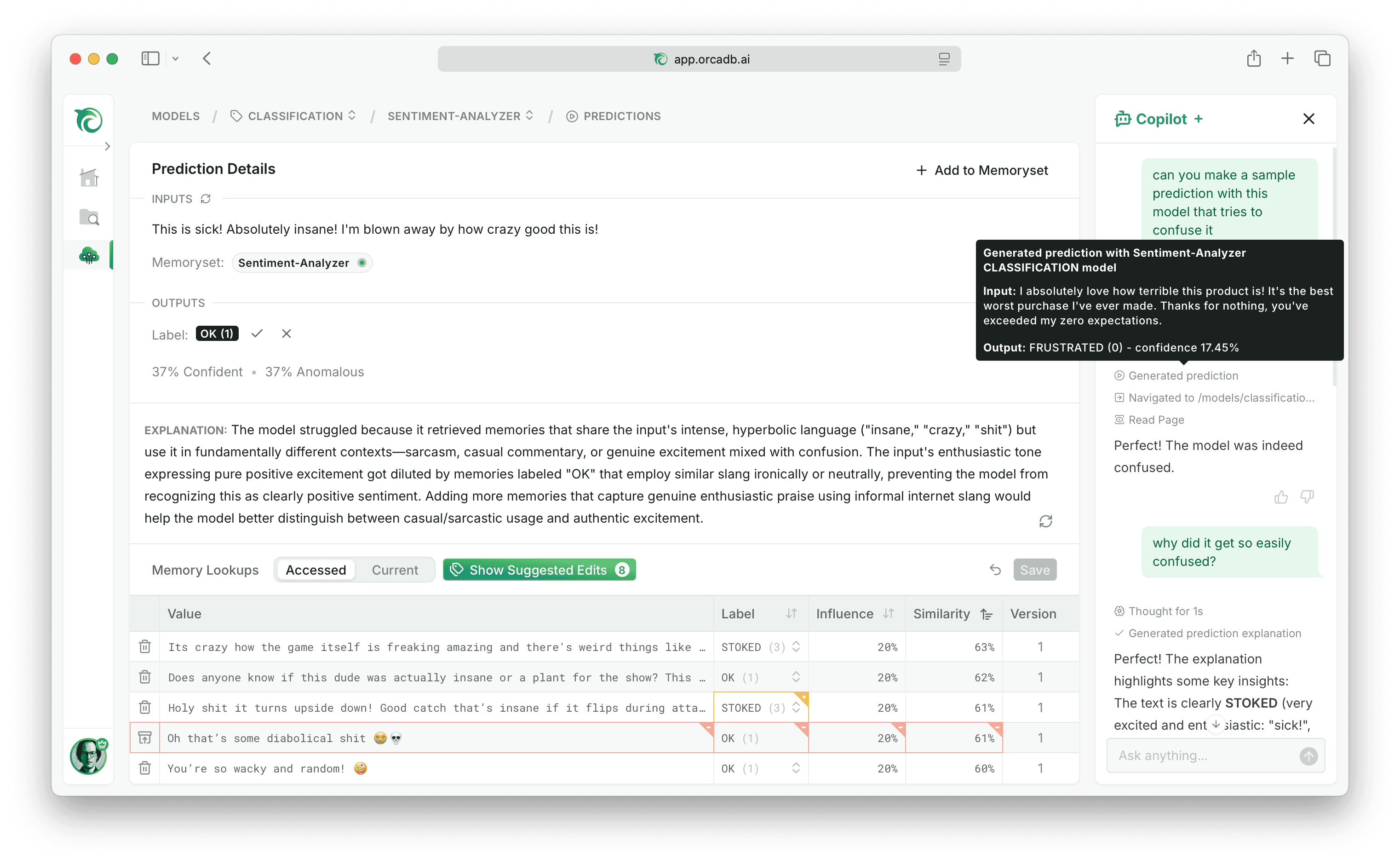
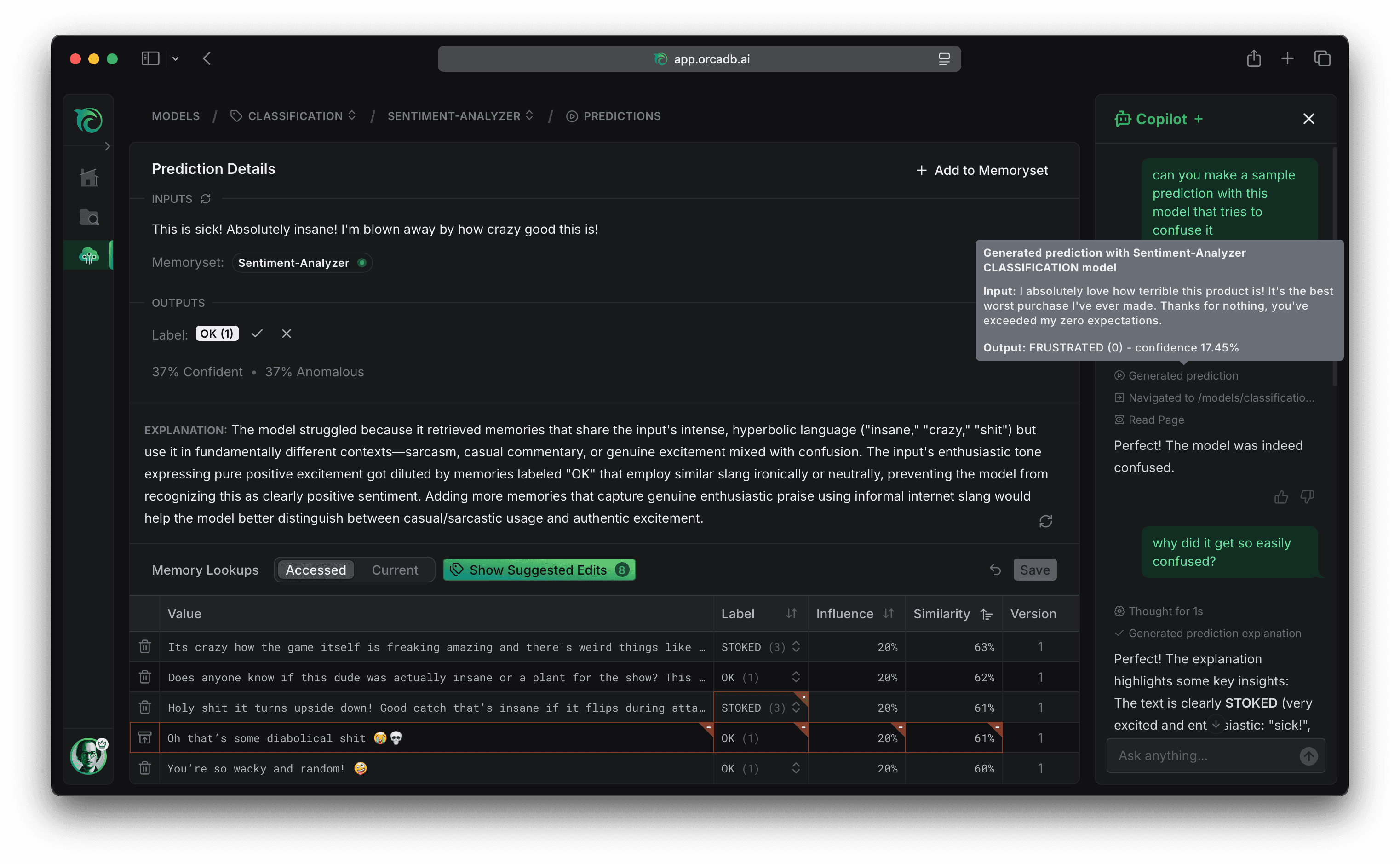
When you hear of agents interacting with a website, you might think of AI browser automation tools. But it would be hard to run a browser automation inside a users session and a very roundabout way to integrate if you are already controlling the UI interface anyways. So instead we built the copilot directly into our Next.js full-stack leveraging the Vercel AI SDK.
The core idea was to let each page declare what the copilot can see and do by simply defining the regular page metadata, rendering a CopilotContext component with the relevant data the page already fetched, and registering custom tools with a useCopilotTool hook that can integrate with the existing action handlers of the component.
export const metadata = {
  title: 'Model Prediction Details',
  description: 'Understand what data the model referenced for this prediction',
};

function PredictionPage({ prediction }) {
  // an action that only exists while this page is mounted
  useCopilotTool({
    name: 'explainPrediction',
    description: 'Run an agentic explanation for this prediction',
    inputSchema: null,
    loadingMessage: 'explaining prediction', // shown while executing in chat
    execute: async () => {
      // call existing action handler that mutates component state
      const explanation = await explainPrediction(prediction.id);
      return {
        // details for rendering tool call in the chat
        message: 'Generated explanation',
        tooltip: explanation,
        // result that is sent back to the model
        data: { explanation },
        instructions: `
          Do not repeat the explanation in your response.
          The user can already see it in the UI.
          Remark on anything that stands out instead.
        `,
      };
    },
  });

  return (
    <>
      <CopilotContext
        content={prediction}
        instructions="Explain confidence scores in plain language."
      />
      {/* ...page UI... */}
    </>
  );
}
So how does this work? To understand that, we have to think about what an AI chat actually is. LLMs are stateless, the “agent” you talk to is an illusion created by feeding a persisted message history together with a system prompt and tool call definitions to an LLM every time you send a message. So our copilot context components and copilot tool hook can simply write into a registry that is keyed by the current route, and on unmount their entries are removed. Several context components can each contribute their own slice of context, and a page can register as many tools via the hook as it wants. When you send a message, that registry drives the round trip:
- The submit handler attaches the page title, description, route, and browser timezone, along with the instructions and tool JSON schemas currently in the registry, and sends them with your message to the copilot route handler.
- The route handler builds the system prompt and final tool schema from all of that, loads the previous message history, and calls the LLM provider, which responds with a message or a tool call.
- If it is a client tool call, the chat component invokes that tool’s execute function from the registry, which may call an action handler on the page and update React state, rerendering some part of the UI just like a user clicking would.
- The tool result is sent back to the model, and the loop repeats until it decides it is done or hits a step limit.
That loop is what lets the copilot navigate, read the new page, and act on it without a round trip through the user.
One of the core ideas behind React is to enable co-locating data fetching, styling, and rendering logic. Our copilot design allows you to also colocate instructions and tools for the copilot in the same way. That colocation extends to the tool’s UI behavior: the tool declares not just a name, description, and input schema, which are sent to the LLM, but also a loading message; and execute returns a message and tooltip. Those are used to render the tool call loading and success states in the copilot sidebar. We also allow declaring a custom icon or an approval prompt for actions that should not automatically execute in the same way. Keeping all of these UI details colocated with the tool definition makes it much easier to register new tools with great UX.
We also found that it is crucial to be deliberate about managing the context that is sent to the LLM, so we only inject the page title, route, and instructions into the system prompt by default and provide a readPage tool to the agent that allows it to request the data the page deliberately exposed when it needs it. There are a few other global client and server executed tools as well for example for navigating and fetching data in the background without having to navigate around the UI. But we keep those minimal to avoid overwhelming the agent with too many options, most tools are registered in components. By bringing chat into the UI instead of the other way round, our copilot benefits from the care we put into deliberately designing the UX to not overwhelm our users but progressively disclose useful information and actions across the app.
Tool Results as Feedback Loops
You probably noticed that the execute function of our explainPrediction tool also returns an instruction argument. This is sent to the LLM together with the data the tool call returned. We found that models followed instructions that were returned as the result much better than trying to cram them into the tool description and this also allows customizing the follow up instruction based on the tool call result. Another example for follow up instructions we use is the prediction tool guiding the model to navigate to the detail page and the navigation tool telling the model to read the new page only if it is relevant. Tools are not just reporting results, they are carrying workflow context into the next turn. Failures work the same way. An input error for example comes back with a short message to be displayed in the chat UI and a follow up instruction for the model to fix the invalid fields and try again, so even a failed call can keep the loop moving.
This pattern extends beyond our copilot. Our backend also has several agentic features, that are colocated in the bounded context they belong to. The prediction explanation logic for example is not defined in the copilot but lives in our Python backend service next to the domain logic of our models and is built with Pydantic AI. Explain is just a single shot agent with a highly optimized prompt that carries all the necessary context to explain a prediction and understand how our memory augmented classifiers work, but we also have some more complex agents that build a feedback harness out of the follow up instructions in their tool call loops.
When an Orca model misclassifies an input, one way to steer it is to add memories with the expected label near that input, so the next lookup retrieves them as neighbors. We have an agent that generates those synthetic memories. The catch is that a useful one has to land close to the target input in embedding space, a cosine-distance question the generating model has no way to eyeball. So the agent writes a batch of candidates and submits them through a tool. That submission is itself a tool call, the same way a typed output or typed tool arguments are: the schema goes to the model, and what it sends back gets validated before your code runs. The only thing special here is what we validate, not whether a field is a string, but whether the string lands close enough.
@synthetic_memory_agent.tool
def submit_memories(
    ctx: RunContext[GenerationDeps],
    candidates: list[GeneratedMemory]
) -> str:
    accepted = 0
    rejected: list[tuple[str, str]] = []
    for candidate in candidates:
        embedding = ctx.deps.embed(candidate.value)
        similarity = np.dot(embedding, ctx.deps.target_embedding)
        if candidate.value in ctx.deps.seen:
            rejected.append((candidate.value, "duplicate of earlier memory"))
        elif similarity < ctx.deps.min_similarity:
            rejected.append((candidate.value, "too far from target memory"))
        else:
            ctx.deps.accept(candidate, similarity)
            accepted += 1

    if ctx.deps.remaining <= 0:
        return f"Accepted {accepted}. Target reached, you are done."
    else:
        return "\n".join(
            [f"Accepted {accepted}, still need {ctx.deps.remaining} more."]
            + [f"- rejected: {v!r} - {r}" for v, r in rejected]
        )
The model never sees an embedding. It writes text, the tool turns that text into the geometry retrieval actually uses, accepts what clears the threshold, and hands back plain language: how many more are needed, and which candidates were duplicates or drifted too far from the target. That reply is the next instruction, and the model generates another batch against it until it has enough. Because the accepted memories accumulate across calls in ctx.deps, the tool is also the only place that knows the running totals.
Controller Loops for Long-Running Processes
So far the agent advanced for one of two reasons: the user sent a message in the chat, or the model decided to call a tool. But some work is driven by something happening in the world on its own clock, and the model is just reacting to it. We have an agent that finetunes embedding models on a dataset. It establishes a baseline, picks a method and hyperparameters, starts a training run, watches the logs as they come in, aborts the run if it is going nowhere, evaluates the result, and decides whether to try another experiment.
The training itself runs in a background thread that streams its logs into a queue. The model never polls that queue. A controller loop does, blocking until enough has happened, either a batch of new log lines or a timeout, and only then re-entering the model with a summary. And it re-enters in the same slot the human would, the summary is sent as a user message, so from the model’s side this still looks like a conversation, just one where the other participant happens to be code reporting on a training run. The tools the model gets are deliberately coarse, start_finetuning, abort_finetuning, evaluate_model, and conclude_experiments. There is no wait tool and no read-next-log tool, because waiting is not the model’s job.
# the start_finetuning tool launches training in a background thread
# that streams logs into a queue; the model never polls it

while not self.is_done:
    # block until something worth reacting to has accumulated
    logs = drain(self.log_queue, max_logs=10, timeout=120)
    if logs:
        message = f"{format_logs(logs)}\nElapsed: {elapsed_time()}"
    else:
        message = f"No new logs after {elapsed_time()}. Training is still running."

    # re-enter the model only now, with summarized state it can act on
    result = await self.agent.run(message, message_history=self.message_history)
    self.message_history = result.all_messages()
The controller’s real job is turning external state into something the model can act on. It doesn’t hand back raw log dicts. It batches them, formats them into something readable, adds how much time has elapsed, and when the queue stays quiet it says so explicitly instead of going silent. The model reasons about whether the loss is still trending down and what to do about it. The controller decides when the model gets to reason at all.
Coding Agents for Open-Ended Tasks
The patterns so far all assumed we knew the tools ahead of time. A fixed set of named actions works when the work is predictable, but some tasks resist that. Preparing a raw dataset for training is a good example. The files might be CSV, JSON, or a HuggingFace dump. The text might be wrapped in chat framing or HTML or template boilerplate. Which of that is noise versus signal depends on the dataset and the classification task it is for. There is no fixed set of tools that covers the next dataset, so the action space has to be code, not verbs.
Most of us do this kind of work with coding agents these days. The agent inspects the files, writes some pandas, looks at the result, and decides what to do next. A person stays in the loop to catch what it gets wrong. The domain knowledge that makes this work lives in a skill, a markdown file the agent reads when it starts. It describes what a finished dataset has to look like, the file-format quirks we have hit before, and the heuristics we keep reaching for, and it grows another line whenever the workflow trips over something new. A skill can also ship scripts, separate helpers the agent runs instead of reimplementing, or point it at existing utilities it should reuse.
When the contract for what a finished dataset has to be is stable enough, you can run the same loop without a person in the chair. We prototyped this with smolagents, which has a nice and simple interface and works very well for focused coding agents. The agent writes Python, you restrict which external libraries it can use, and you hand it a few functions as tools for the things it shouldn’t reinvent, just like helpers that a skill might reference: list_files exposes the input directory, estimate_token_count lets the agent use a tokenizer, detect_language wraps a fast language detection model, and submit_dataset is the handoff.
agent = CodeAgent(
    model=LiteLLMModel("claude-sonnet-4-6"),
    additional_authorized_imports=["pandas", "datasets", "numpy"],
    tools=[list_files, estimate_token_count, detect_language, submit_dataset],
    final_answer_checks=[check_reports_saved],
)
agent.run(PROMPT)
Letting an agent run arbitrary code in your deployment is where this gets dangerous. A dataset is untrusted content, your deployment has access to private data, and arbitrary code can make network calls, which is exactly Simon Willison’s lethal trifecta. A prompt injection buried in the data could read a secret and exfiltrate it, and you can’t catch that by inspecting code you didn’t know would be written. The fix is to break one leg of the trifecta rather than to vet the code. Running the agent in an ephemeral sandbox like E2B with nothing but the input files takes away the access to private data, so even hijacked code has nothing worth stealing.
The sandbox decides whether the code is safe to run. It says nothing about whether the output is any good, and that is where the acceptance gate comes back, the same one as the synthetic memory loop. submit_dataset doesn’t just save what it is handed. It validates the shape the downstream steps need, a train and test split, a string value column, a ClassLabel label column, a token_count column, and label descriptions that match the labels, and raises a ValueError with a specific message when something is off. smolagents hands that error back as the next instruction and the model rewrites its code. final_answer_checks is the same trick at the exit, refusing to let the agent finish until a dataset has actually been submitted.
The exploration in the middle is unconstrained, but the harness around it is narrow: every way out runs through a gate. And the contract those gates enforce is the same one we had been refining by hand for months before trying to automate any of it. The autonomous agent is just that skill, compressed into a prompt and a couple of checks.
Common Threads
The common thread across these patterns is not what the agent does, but the interface between the agent and the surrounding code. A page registry that tells the model what tools are in scope right now. A tool that returns the next instruction instead of just a result. A controller that summarizes the world into something worth waking up for. An acceptance gate that decides whether the loop is allowed to end. The model does the reasoning. The interesting engineering happens at the boundary, often in code that does real work the model never sees.
None of these features coordinate through a meta-agent or a graph. Composition via tools and code reads like ordinary application code, and the failure modes are the ones you already know how to debug. The more of the boundary you make explicit, the less you have to hope the agent figures out on its own.